
Before You Start
This guide is for Buzz questions that show the Checkmark writing box. Your Buzz admin or content provider adds the box to essay questions, so there's nothing to set up as a teacher. Expected the box on a question and don't see it? Ask them, or email support@checkmarkplagiarism.com.
- • Students don't leave Buzz, and neither do you: the report sits inside the question.
- • Plain Buzz essay questions without the box can still be checked through Buzz Data Streams.
Watch: Checkmark in a Buzz Question in One Minute
A student writes and submits, then the teacher grades in Buzz.
What Students Do
They answer in the Checkmark box and submit the usual Buzz way.
Write in the Checkmark box
Right inside the Buzz question, under its rubric
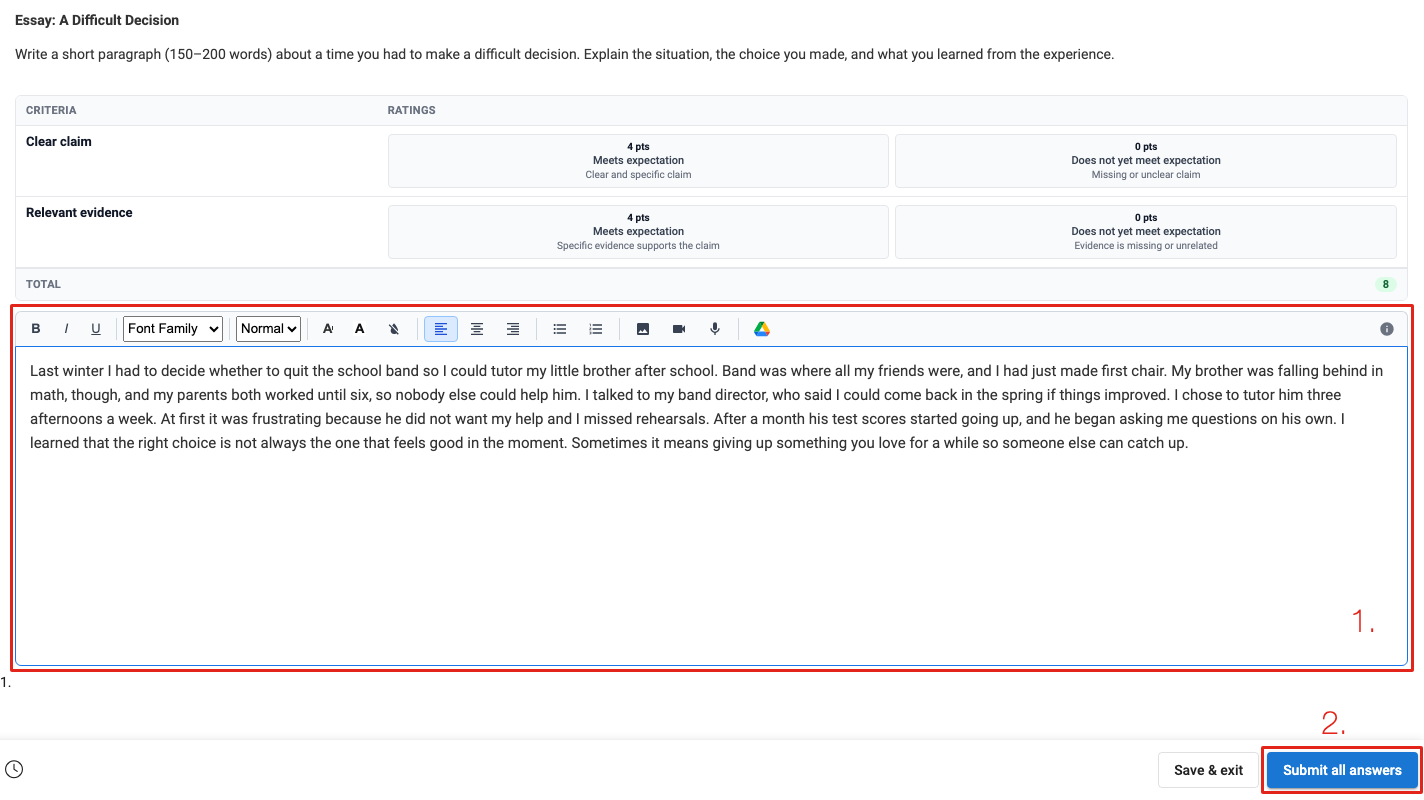
- • 1. Students type their answer in the box. Checkmark records how it's written: what was typed and what was pasted in. Their work saves as they go, and Save & exit keeps it for later.
- • 2. When they're done, they click Submit all answers.
Confirm the submission
Submit answers? › Submit
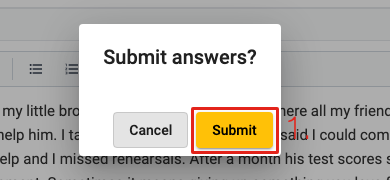
- • 1. Click Submit. That's the normal Buzz submit; nothing extra.
The report appears in the question
Usually in about 10 seconds
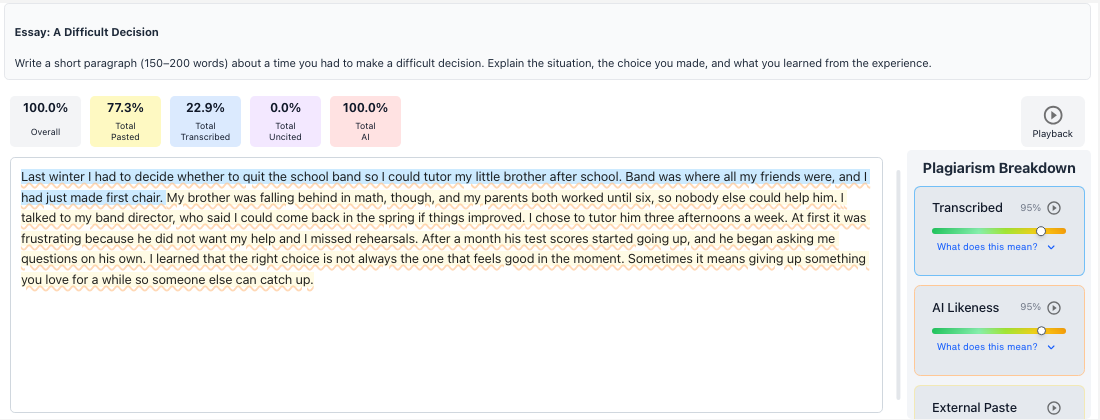
- • “Analyzing submission…” turns into the report on its own, with no reload needed.
- • Students see the same report you do. The Buzz student guide walks them through it.
Read the Report in the Buzz Grader
Every submission's report is right where you grade it.
Open Needs grading
From your Buzz home page
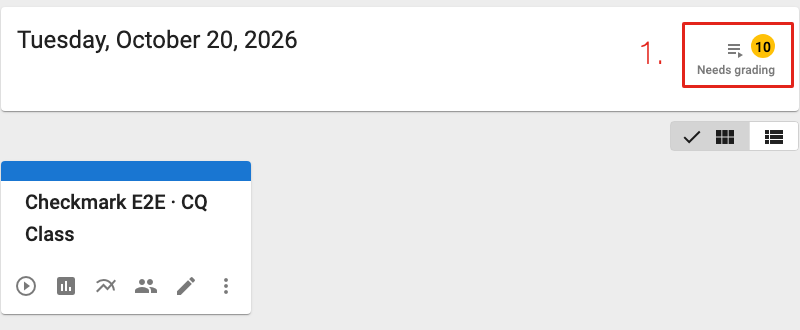
- • 1. Click Needs grading, then the student's submission.
Read the report
Inside the question, under the prompt
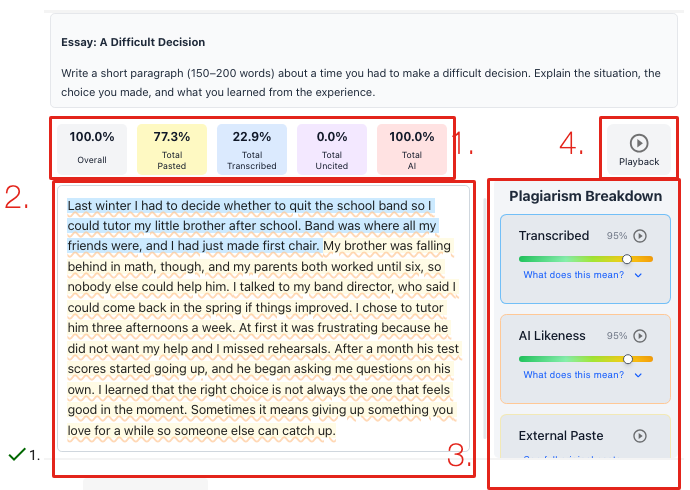
- • 1. The tiles: an Overall score plus Pasted (pasted from outside the document), Transcribed (typed while copying another source), Uncited (referenced text with no citation) and AI (text that patterns like AI writing).
- • 2. Findings are highlighted in the essay. Click one to jump to its card.
- • 3. Each card in the Plagiarism Breakdown explains a finding. On an External Paste card, See full original paste shows exactly what was pasted.
- • 4. Playback replays how the essay was written (next section).
More on every part of the report in Reading the Report.
Watch How It Was Written
Playback replays the essay keystroke by keystroke.
Typed, a sentence at a time
Click Playback in the report
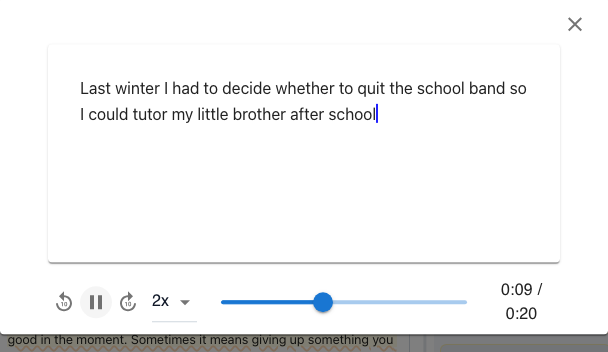
- • Play, pause, skip, change the speed, or drag the timeline to any moment.
Then the rest arrives in one paste
One second after the typing stops
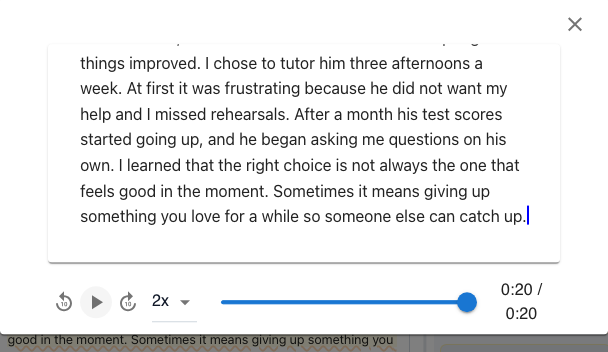
- • A paste shows up as a block of text arriving at once, which is easy to spot in a replay.
Check the Rubric and Submit the Grade
When autograding is on for the question, the Buzz rubric is filled in for you.
Review the scores and feedback
Below the question, in Buzz's own rubric
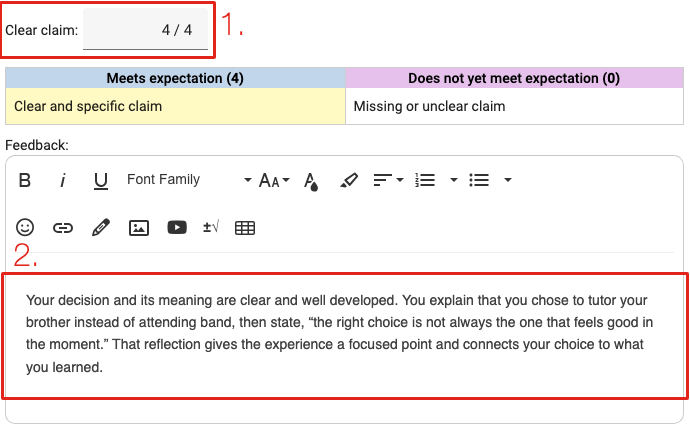
- • 1. Each criterion is scored by Checkmark's autograder.
- • 2. Each one also gets written feedback. Change any score or comment you like.
Submit the grade
Like any Buzz grade
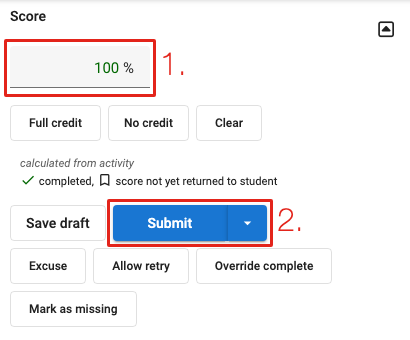
- • 1. The rubric total becomes the score: 8 of 8 points is 100%.
- • 2. Click Submit to return the grade to the student.
- • Checkmark's overall comment is already in Messages.
You're Done
Every Checkmark question you grade works the same way: the report, Playback and rubric are all in the Buzz grader.
How the autograder scores rubrics is in Autograder & Rubrics.