
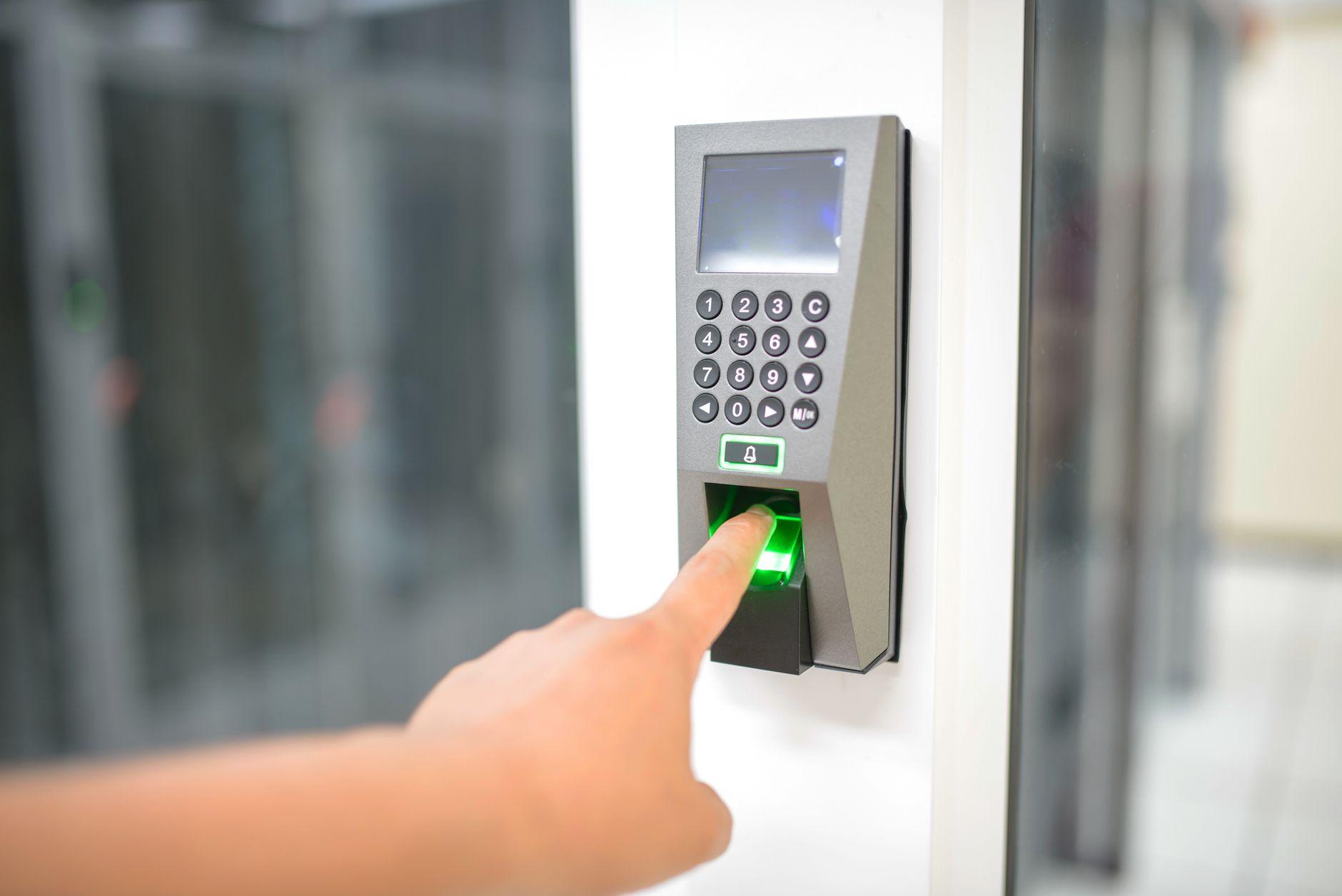
A password is something you know. A key card is something you have. A biometric is something you are. That last category sounds like the most secure of the three, and in some ways it is. But it also behaves differently from a password in one unsettling way: you cannot change it. If a database leaks your password, you reset it in thirty seconds. If a database leaks your fingerprint, you are stuck with the same ten fingers for the rest of your life.
That tension sits at the heart of biometric security. It is convenient, fast, and hard to fake, and it is also permanent, sensitive, and increasingly common in places parents and educators never expected to see it. Schools now use fingerprints to speed up lunch lines, facial recognition to take attendance, and palm scans to check students into buildings. Before any of that becomes normal, it helps to understand what biometrics actually are and how they work.
What a biometric actually is
A biometric is a measurable physical or behavioral trait that can be used to identify a person. The key word is measurable. A scanner does not store a photograph of your finger or a recording of your voice in the way you might imagine. Instead, it converts the trait into a mathematical representation called a template.
Here is the basic flow. During enrollment, a sensor captures your trait, fingerprint, face, iris, or voice. Software extracts the distinctive features from that capture: the ridge endings on a fingerprint, the distance between facial landmarks, the texture rings of an iris. Those features get encoded into a compact string of numbers. That string is the template, and it is what gets stored, not the raw image.
Later, when you try to authenticate, the sensor captures the trait again, builds a fresh template, and compares it to the stored one. Because no two captures are ever identical, the system does not look for a perfect match. It calculates a similarity score and asks whether that score clears a preset threshold. If it does, you are in. If it does not, you are rejected.
That threshold is a design choice with real consequences, and it explains most of what people find frustrating about biometrics.
How matching works, and why it is never perfect
Set the threshold too loose and the system starts accepting the wrong people. That is a false acceptance. Set it too strict and the system starts rejecting the right people, the false rejection that makes you swipe your finger four times before the door opens.
Every biometric system lives somewhere on that tradeoff. Vendors describe it with two numbers: the false acceptance rate and the false rejection rate. A high-security application, say a server room, tunes toward almost zero false acceptances and tolerates more annoyance. A high-convenience application, like unlocking a phone, tunes toward fewer rejections and accepts a slightly higher risk of letting in a lookalike.
This is the most important thing to understand about biometrics, and the thing most marketing glosses over. A biometric scan is not a yes-or-no fact. It is a probability judgment. The phrase "your fingerprint unlocked the phone" really means "the captured pattern was similar enough to the enrolled pattern to clear the threshold we chose." That is usually good enough. It is not the same as certainty.
The main types of biometrics
Biometrics split into two broad families: physiological traits, which are about your body, and behavioral traits, which are about how you do things.
Fingerprints are the oldest and most widespread. They are cheap to capture, fast to match, and familiar enough that nobody finds them alarming. The downside is that you leave fingerprints on every surface you touch, which makes them easier to lift than most people assume.
Facial recognition maps the geometry of a face, the distances and angles between landmarks like the eyes, nose, and jaw. It is attractive because it works at a distance and needs no contact, which is exactly why it raises the loudest privacy objections. A face can be scanned without consent or even awareness.
Iris and retina scans read the unique patterns inside the eye. They are extremely accurate and very hard to fake, but they need specialized hardware and close cooperation from the person being scanned, so they stay confined to high-security settings.
Voice recognition analyzes the pitch, cadence, and resonance of speech. It is convenient for phone systems but vulnerable to recordings and, increasingly, to AI voice cloning.
Behavioral biometrics are the newer and stranger category. These measure patterns in what you do: your typing rhythm, the way you swipe a touchscreen, your gait as you walk, even how you hold a phone. They are often invisible, running quietly in the background to confirm that the person using an account is the same person who usually uses it. That invisibility is both their strength and the reason they make privacy advocates uneasy.
Where students and teachers actually meet biometrics
For most schools, biometrics show up first as a convenience tool. A fingerprint reader at the cafeteria register means a student no longer needs to remember a lunch number or carry a card. A palm scanner at the front entrance speeds up morning arrival. Some districts have piloted facial recognition for attendance or for flagging unauthorized visitors.
The pitch is always the same: faster, frictionless, harder to cheat. A child cannot lend a classmate their fingerprint the way they might share a lunch code. And there is genuine value there. Lost cards and forgotten PINs are a daily friction that biometrics quietly remove.
The catch is that the data being collected belongs to minors who cannot meaningfully consent, stored by institutions that are not security companies. A school district is not built to defend a database the way a bank is. When the trait being stored is permanent and unchangeable, the bar for protecting it should be higher than for a password, not lower.
The privacy problem, stated plainly
Three features make biometric data different from other personal data, and they compound each other.
First, it is permanent. You can change a compromised password, card, or phone number. You cannot reissue a face or a fingerprint. A breach is not a temporary emergency you recover from. It is permanent exposure.
Second, it is involuntary. You can choose not to type a password where a camera might see it. You cannot easily choose not to have a face, and facial recognition can capture you without your participation or knowledge.
Third, it is linkable. A biometric is a near-perfect key for connecting records across systems that were never meant to be connected. The same face that opens a school door could, in principle, be matched against footage from a store, a stadium, or a city camera. The trait itself becomes a tracking identifier.
None of this means biometrics are inherently wrong. It means the questions around them are different. The right question is not only "is this secure?" but "what happens to this data, who can access it, how long is it kept, and what is the plan when, not if, it leaks?"
What to ask before you trust a system
If you are an administrator weighing a biometric rollout, or a parent handed a consent form, a few concrete questions cut through the marketing.
Where is the template stored, on the device or in a central database? On-device storage is far safer than a central honeypot. Is the raw image discarded after the template is made, or kept? It should be discarded. Is the template encrypted, and can it be revoked or re-enrolled if compromised? Is there a non-biometric alternative for families who opt out, and is choosing it free of penalty? Who owns the data if the vendor goes out of business or gets acquired? How long is it retained after a student leaves?
A vendor that answers these clearly is one worth considering. A vendor that treats them as obstacles is telling you something important.
Where this is heading
The trend lines all point toward more biometrics, not fewer. Phones already lead with face and fingerprint unlock. Multimodal systems that combine two or three traits are improving accuracy. Behavioral biometrics are spreading into fraud detection and continuous authentication, quietly verifying identity throughout a session rather than once at login.
At the same time, the threats are evolving just as fast. AI-generated deepfakes can now mimic faces and clone voices well enough to fool weaker systems, which is pushing the field toward liveness detection, the ability to tell a real person from a photo, mask, or recording. It is an arms race, and it will not settle soon.
The honest summary is this. Biometrics are a genuine upgrade over passwords for many everyday uses, and they are not a magic solution to security. They trade one set of problems for another. The convenience is real. So is the permanence. Treat your fingerprint less like a password and more like a tattoo: useful, distinctive, and very, very hard to take back.